HYAS Insight R25.11
Release # | R25.11 |
|---|---|
Date |
What’s New in HYAS Insight!
Spatial Intel: Expanded Map Layers IMPROVED
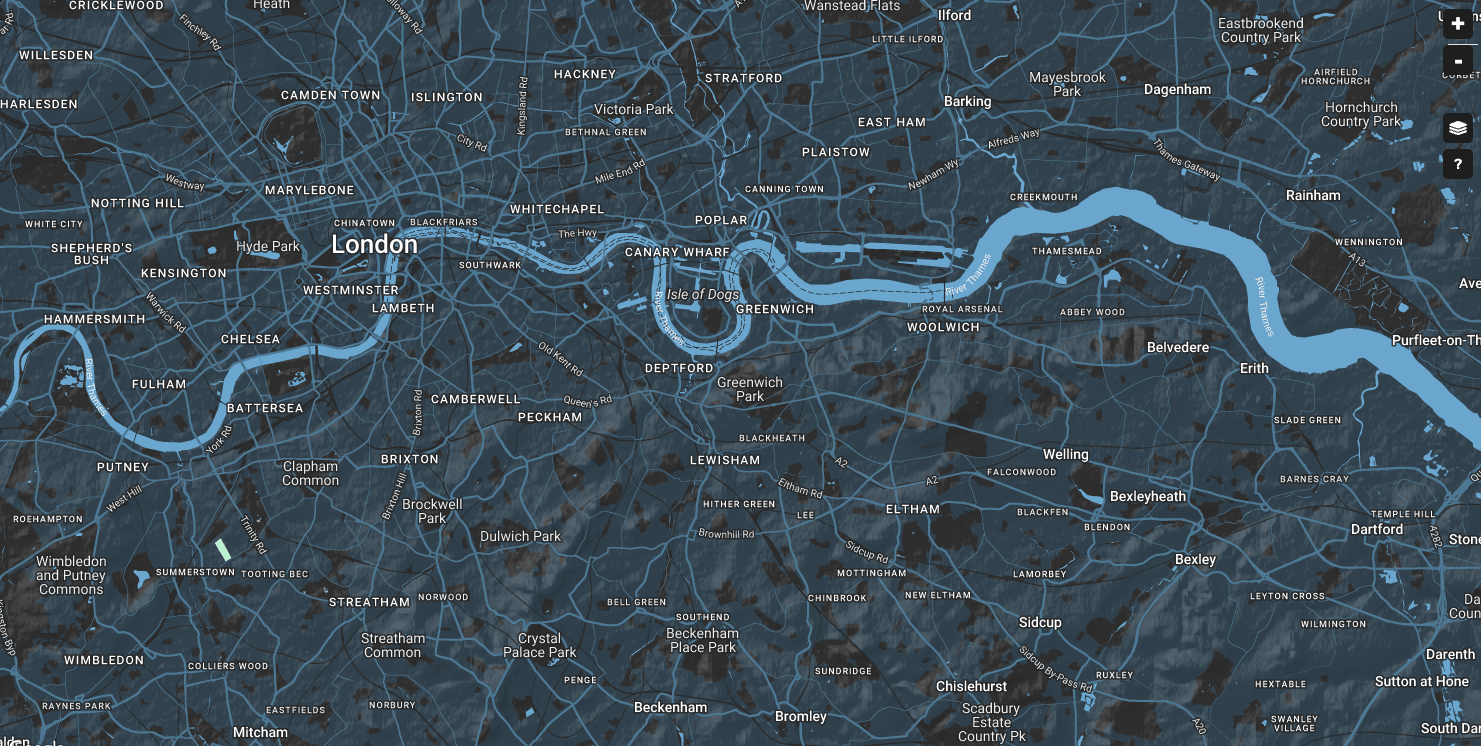
The Spatial Intel Map now includes a redesigned layer picker, improved control layout, and new map style options. Users can choose between Light, Dark Blue, and Dark Grey layers—all with terrain—and the system remembers their selection between sessions.
Benefits
Improved Layer Selection: Redesigned UI places the picker in a more intuitive location with a modern layout.
Expanded Map Styles: Light, Dark Blue, and Dark Grey maps give users more options for viewing geographic data.
Saved Preferences: The map remembers your last selected layer across sessions for seamless usage.
Dynamic Object Detail Tabs IMPROVED
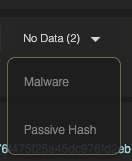
The Object Detail panel now supports dynamic tab loading behavior. Tabs appear in a low-emphasis state initially and update in real time as data loads. Only tabs with records are shown, while those without data are summarized in a non-interactive No Data list.
Benefits
Focused Data Display: Only tabs with data are shown, streamlining the analyst's view.
Consistent Layout: Tabs maintain their intended order and animate smoothly as data loads.
Clear No Data Handling: Tabs with no data are summarized in a dedicated picklist, keeping the UI informative but clean.

Restyled Recent WhoIs & Recent Malware Pages IMPROVED
The Recent WhoIs and Recent Malware Infrastructure pages have been visually updated to match the UI3 design system. These changes modernize the layout and interaction patterns without altering table data or functionality.
Benefits:
Consistent Styling: Both views now align with the rest of the HYAS Insight platform.
Preserved Functionality: All existing capabilities—including exports, filters, and pagination—remain fully supported.
Legacy Alignment: The legacy Malware Infrastructure page now reflects UI3 styling for a smoother user experience.
Host Posture for IPv6 Objects IMPROVED
The Host Posture tab now appears on IPv6 object pages when relevant data is available. This brings parity with IPv4 object pages and ensures analysts have consistent access to posture data across all IP types.
Benefits
Expanded Data Visibility: Host Posture now accessible on IPv6 objects with valid posture data.
Consistent Analyst Experience: Same insights, same UI—regardless of IP version.
Eliminates Gaps: Prevents loss of context when pivoting from features like JARM to IPv6 addresses.
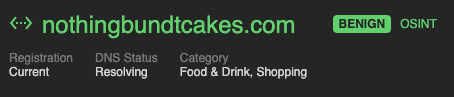
Domain Registration and DNS Status NEW
Domain object pages now display Registration and DNS Status next to the Category field. These fields provide quick insight into whether a domain is newly registered, expired, or resolving in DNS, enhancing context for investigations.
Benefits
Faster Risk Assessment: Immediately see if a domain is newly registered or inactive.
Better Context: DNS resolution status adds clarity to domain behavior.
Reduced Lookup Overhead: Analysts no longer need to leave the platform to check basic domain health.
Improved Tab Order IMPROVED
HYAS Insight has been updated with a new tab ordering and naming system across all objects, designed to improve data flow and usability. Tabs are now organized in a purposeful order that prioritizes high-value content, and several tab names have been simplified for clarity and consistency. These updates are also applied to the HYAS Insight API.
Benefits:
Faster Access to Key Data: Tabs now appear in a logical, value-driven order, reducing time to insight.
Cleaner, Consistent Naming: Streamlined tab names improve readability and reduce ambiguity.
Aligned UI and API: Updated naming applies to both the user interface and API responses, supporting cohesive workflows.
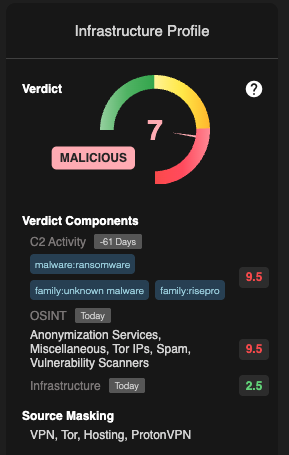
IP Source Masking Label NEW
A new Source Masking section has been added to IP infrastructure profiles in HYAS Insight, helping you quickly determine if an IP is linked to obfuscation services like VPNs or proxies. The section appears only when relevant indicators are present in IPInfo data and provides clear, human-readable tags and context.
Benefits:
Faster Triage: Quickly identify when an IP is using masking services like VPN or TOR, helping analysts avoid misattribution.
Deep Dive On Demand: Hover-enabled "+" icon offers expanded provider-level metadata for added context when available.
CNAME Visibility in Current DNS Tab
You can now view CNAME records directly in the Current DNS tab across all applicable HYAS Insight objects. The CNAME column is shown by default between the AAAA and MX Record columns, with interactive functionality that supports pivoting into related infrastructure. Users who have customized their table will also see the CNAME column added automatically.
Benefits
Faster Infrastructure Identification: Quickly detect if a domain points to a CDN or shared hosting service.
Consistent Visibility: The column is defaulted on for all users, ensuring key DNS data is always visible.
Enhanced Investigative Workflow: Hyperlinked, pivotable CNAME values allow for efficient navigation and deeper analysis.
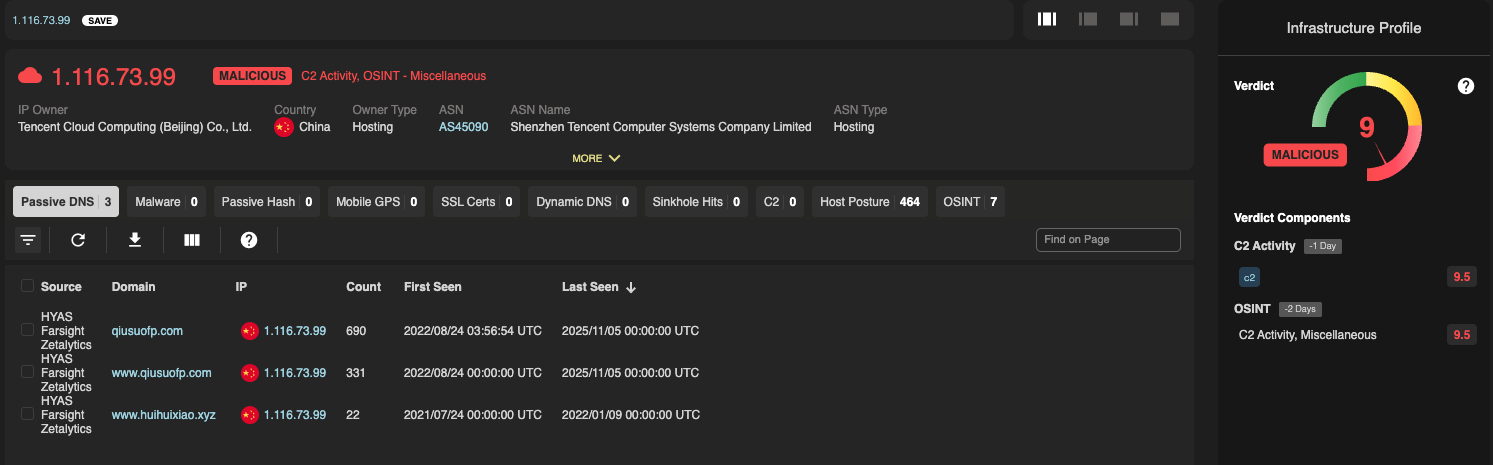
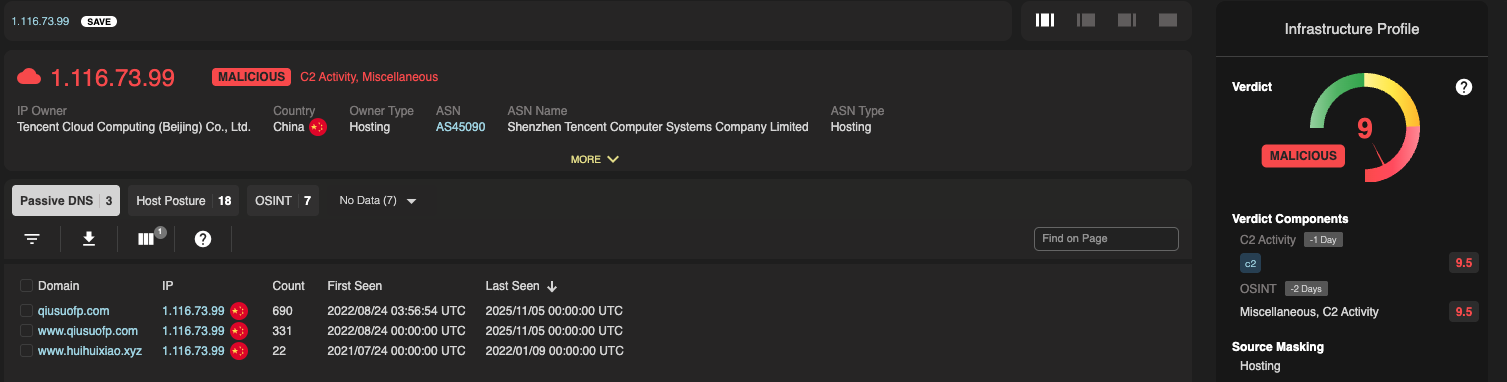
Refined OSINT Display in Verdict Evidence
Verdict Evidence formatting has been updated to streamline how OSINT-derived inputs are shown. OSINT indicators will now only appear when they provide unique insight and will be removed when duplicative or too generic. This change makes the section more readable and aligned with how we treat other evidence sources.
Benefits
Simplified Evidence Display: Removes redundant OSINT labels, helping users quickly interpret key verdict drivers
Preserved Context: Retains meaningful threat types where OSINT contributes unique evidence
Aligned Presentation: Ensures OSINT is treated the same as other sources, improving consistency
Prior State:
New State:
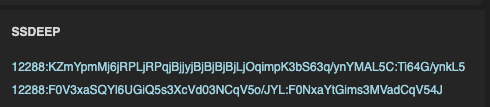
SSDEEP Support
We’ve added SSDEEP hash support to the Malware tab, bringing similarity-based detection and clustering capabilities into the analyst workflow. SSDEEP is a fuzzy hashing algorithm that identifies files with similar content, even if they’re not exact matches. You can now search, filter, and pivot on SSDEEP to uncover related malware families and campaigns more efficiently.
Benefits:
Improved Malware Clustering
SSDEEP enables grouping of similar malware samples to identify campaigns and variants faster.Search and Filter Support
Full support forssdeep:queries and faceted search lets analysts zero in on specific patterns or clusters.Updated UI and Documentation
New SSDEEP column, enhanced flyover descriptions, and updated documentation help teams adopt this capability immediately.
Tab Order Optimization
HYAS Insight now features a streamlined tab structure across all object types, with prioritized ordering and clearer naming. The new layout brings high-value insights to the forefront, while updated tab names reduce friction during analysis.
Benefits:
Faster Navigation: Tabs are now ordered by investigative relevance, helping users find the most important data first.
Clearer Terminology: Updated tab names improve usability and make the interface more intuitive.
Consistent Across API: All changes are reflected in the HYAS Insight API, ensuring uniform behavior across interfaces.
General UI3 Enhancements
A set of interface updates has been rolled out to enhance visual alignment, usability, and layout consistency across the platform. These changes improve how information is displayed, how icons and controls behave, and how users interact with common UI components.
Benefits
Improved Clarity: Font updates, spacing fixes, and more intuitive icon behavior make screens easier to read and interpret
Better Usability: Interactive elements like buttons, icons, and expandable panels are now more responsive and consistent
Streamlined Navigation: Tab and view customization improvements make it easier to maintain context across objects and workflows
Updated Menu Designs IMPROVED
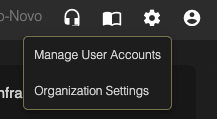
The Support, Documentation, Settings, and Profile picklists have been restyled according to UI3 design standards, along with several associated modals. These changes are visual only, no functional changes were made.
Benefits
Unified Experience: Picklists and popups now match the rest of the UI3 interface.
Refined Styling: Typography, spacing, and layouts have been cleaned up for clarity.
Consistent Design Language: Reinforces the perception of product quality and visual polish.